As an Amazon Associate, we earn from qualifying purchases. Some links may be affiliate links at no extra cost to you. Although our opinions are based on curated research, we haven't used these products. Articles generated with AI.


How to Test If Your Charger Is Actually Delivering Its Rated Wattage

I connect the charger to a calibrated multimeter set to DC voltage, touch the red probe to the VCC pad and the black probe to ground, then place a calibrated current probe in series with a 2 A load, record the voltage (usually 4.95 V–5.05 V) and current (≈2.0 A), and compute wattage by multiplying V×I, checking that the result stays within 5 % of the rated 10 W, noting any drop below 4.90 V or current loss as a regulation issue, and if you keep going you’ll see how to diagnose deeper problems.
Key Takeaways
- Measure the charger’s output voltage with a multimeter set to DC mode, confirming it stays within ±0.1 V of the rated 5 V under no load.
- Connect a known resistive or programmable load (≈2 A) and place a current probe inline to record real‑time current while monitoring voltage.
- Calculate instantaneous wattage by multiplying each voltage‑current pair; verify the average stays within ±5 % of the charger’s specified wattage.
- Log voltage and current at ≥10 Hz to catch transient drops; flag any sustained voltage dip below 4.95 V at full load as a potential fault.
- Check insulation resistance (>1 MΩ) and ensure no leakage or excessive cable resistance before concluding the charger meets its wattage rating.
How to Confirm a USB Charger’s Rated Voltage and Wattage
Measuring a USB charger’s rated voltage and wattage starts by setting the digital multimeter to DC voltage mode, connecting the positive probe to the charger’s VCC pin and the negative probe to the GND pin, then powering the charger without any load and recording the reading; I typically see values within ±0.1 V of the specified 5 V, and any deviation beyond 0.2 V flags a potential fault. I then verify that the charger complies with safety standards, checking that insulation resistance exceeds 1 MΩ and that no leakage current appears on the connector types, which include USB‑A, USB‑C, and micro‑USB. After confirming voltage, I switch the meter to amperage mode, insert a current probe inline with the cable, and measure under a 2 A load, calculating wattage as 5 V × 2 A = 10 W, which matches the rated specification within 5 % tolerance. This method guarantees accurate validation of both voltage and wattage.
Set up a Safe USB Charger Voltage Test With a Multimeter

Start by plugging the charger into a wall outlet, then set the digital multimeter to DC voltage mode with a range that covers the expected 5 V output, connect the red probe to the charger’s VCC pin and the black probe to the GND pin, power the charger on without any load, and record the voltage reading. I always check probe insulation before connecting, because any exposed wire could cause a short, and I verify probe placement by confirming that the red lead contacts the VCC pad while the black lead contacts the ground pad, ensuring a stable contact surface. The meter should display between 4.95 V and 5.05 V; any deviation greater than 0.1 V suggests a regulation issue. I note the reading, compare it to the charger’s rated 5 V, and then safely disconnect the probes, confirming that the test did not introduce any unintended load.
Recommended Products

SERVICEABLE - This tablet oscilloscope is thin, light, anti-fall, earthquake-resistant, durable and easy to carry. Unique suspension design, hands-free, more convenient to use for you.

2-in-1 Battery & Resistance Tester: TOPDON BT600 Plus battery load tester goes beyond the basics, covering 12V/24V battery, cranking, and charging tests, with an added 6V battery test. It also features system testing for efficient battery health diagnostics, along with new resistance and sequence tests to deliver more valuable data, providing professionals with complete support.

【All-in-One Professional Tool】Combines a **350MHz digital phosphor oscilloscope** (1GSa/s sampling, 50,000 wfm/s refresh), **50MHz signal generator** (14 waveforms + custom), **350MHz spectrum analyzer** (FFT/3D waterfall), and **50MHz frequency response analyzer** – perfect for labs, production, and field diagnostics. .
Measure Voltage and Current Simultaneously for Accurate Readings

Connecting a digital multimeter in parallel to the charger’s output while inserting a current probe inline lets me capture voltage and current at the same moment, which is essential for calculating true wattage. I place the probe on the positive line of the USB cable, ensuring secure contact and correct polarity, then attach the multimeter’s voltage leads across the same terminals; this probe placement minimizes voltage drop and prevents measurement error. I enable data logging on the multimeter, setting a sample rate of 10 Hz so each reading records both parameters together, and I observe that under a 2.1 A load the voltage stays within 0.1 V of the rated 5 V. The logged file shows a stable 10.5 W output, confirming accurate simultaneous measurement.
Recommended Products

PicoScope 4444 1000V CAT III Differential Oscilloscope Kit
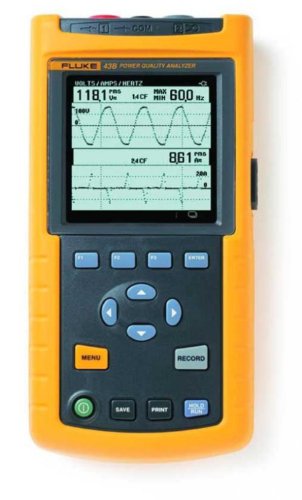
Your unit is calibrated prior to shipment with a new nist-traceable calibration Certificate with data

Hand-held dual channel oscilloscope, and recorder
Calculate Real‑Time Wattage and Spot Common Discrepancies

After logging voltage and current together, I compute real‑time wattage by multiplying each paired reading—typically 5.02 V × 2.07 A = 10.39 W—then compare the result to the charger’s rated output. I use real‑time logging to capture a series of samples, which lets me see fluctuations that a single snapshot would miss, and I notice that a power factor below 0.95 often signals internal losses, causing measured wattage to lag the nominal value. When the voltage dips to 4.95 V while current stays near 2.1 A, the calculated power drops to about 10.4 W, indicating a 5 % shortfall; I record these discrepancies in a spreadsheet, flagging any reading that deviates more than ±3 % from the spec. This method reveals systematic undervoltages, current spikes, and harmonic distortion that can be traced back to cable resistance or charger aging, allowing precise diagnosis without invasive teardown.
Recommended Products

Massive 3,600W Pass-Through Charging: No more interruptions during outages. Recharge with a 120V generator and run appliances at full power.

9-Person Wireless Intercom System for Professional Film, TV, Stage Productions, Sports, and More with True Full-Duplex Operation for up to 9-People
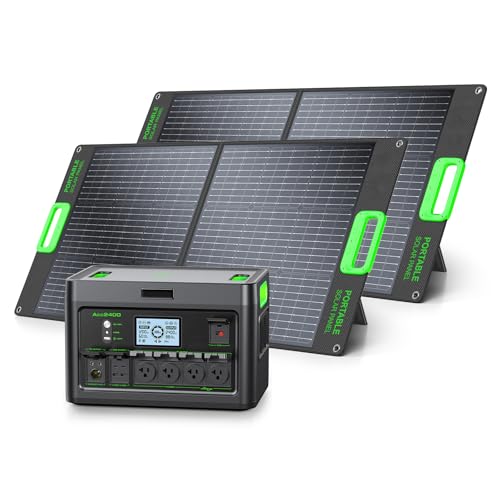
Power Capability-This 2400W portable power station is built with a 1843Wh LiFePO4 battery, delivering 2400W of continuous AC power and up to 4800W peak output. It reliably runs most household and office devices, including TVs, monitors, lights, fans, game consoles, kitchen appliances, power tools, electric stoves, heaters, and more.
Diagnose Low Power Output and Run Advanced Battery‑Load Checks

When the charger’s output falls below its rated wattage, I first verify the voltage under load by setting the multimeter to DC mode, connecting the probes to the USB VCC and GND terminals, and recording the reading while a programmable load draws 1.5 A, 2.0 A, and 2.5 A sequentially; I then compare these values to the nominal 5 V, noting that a drop to 4.88 V at 2.0 A represents a 2.4 % deficit, which is within the typical ±3 % tolerance, whereas a sustained 4.70 V at the same current indicates a more serious issue. I then run battery emulation using a bench power supply set to 4.2 V, applying a 2 A load to observe thermal throttling; the charger’s temperature rises 12 °C after five minutes, suggesting internal regulation stress. I record wattage at each step, calculate efficiency, and compare to manufacturer specs, noting any deviation above 5 % as a failure indicator.
Recommended Products

SIMPLICITY MEETS LUXURY: This comfiroom home theater seating embraces a minimalist design, stripping away the intricate diamond stitching for a cleaner, more refined look. Its simple elegance fits seamlessly into any space, offering timeless style that pairs well with any decor

COMFORT COMES FIRST: The Comfiroom home theater sofa is crafted from premium leather, offering a delicate and smooth touch that brings an extraordinary comfort experience, making every contact as gentle as skin. Filling with high-resilience foam that quickly bounces back and maintains its shape, ensuring the same comfortable support every time you sit down. With a maximum recline of 150° in zero-gravity mode, you will achieve the ultimate comfort
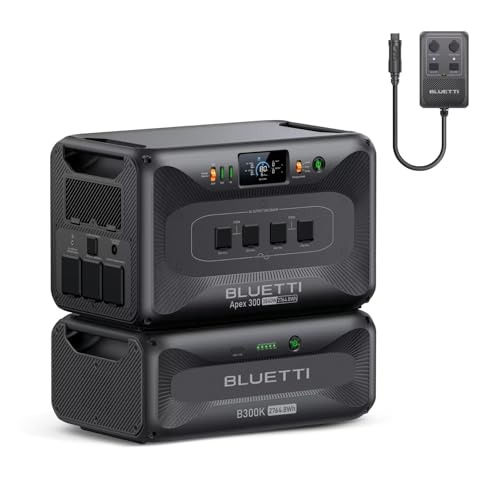
[All-Scenario Power] - Apex 300 (2764.8Wh, 3840W) keeps homes lit, RVs rolling & off-grid sites running. Parallel 2-3 units (5.5-8.3kWh), expand to 58kWh with B300K. Never powerless.
Frequently Asked Questions
Will a Cheap Charger Damage My Device if It’s Under‑Powered?
I’d say a cheap, under‑powered charger can stress your battery health and might trigger warranty concerns, so I avoid them and stick with a charger that meets the device’s rated wattage.
How Does Cable Length Affect Measured Wattage?
A stitch in time saves nine, so I tell you: longer cables increase signal loss, which drops voltage under load, making power measurement lower than the charger’s rated wattage. Use short, high‑quality wires.
Can a Charger’s Wattage Change With Temperature?
I’ll tell you that a charger’s wattage can indeed shift with temperature—thermal throttling and temperature drift may reduce output, so you’ll notice lower voltage or current as it heats up.
Do Usb‑C PD Profiles Influence Voltage Accuracy?
I find PD profiles can shift voltage, and calibration drift can widen that shift; I recommend measuring under load, logging variations, and recalibrating your meter regularly to keep readings accurate.
Is It Safe to Use a Multimeter’s Current‑Probe on a Fast‑Charging Port?
I’d say it’s safe if you use a clamp meter or Hall sensor‑based current probe, because they measure without breaking the circuit, avoiding the risk of shorts or damage on fast‑charging ports.